Featured

Topic 1 – Technology Imperatives and the TPACK Model

Overview of STILE App (Technology)

STILE app is a platform designed by Stile Education. This platform enables teachers to use pre-made lessons linked to COSMOS articles. The platform also provides the ability to create new lessons.

STILE App lessons often follows this format:

  • A “lesson” – information about a certain topic area
  • A “quiz” – assessing the learning
  • A “project” – related to the topic

Teachers can make new lessons at any time (or edit an existing lesson) using the platform tools. Some of these other tools are:

  • Audio recordings
  • Mind Maps
  • Graph building
  • Student uploads
  • Live polls
  • Live brainstorms
  • Picture drawing

How STILE App can be used

As it is an relatively open platform, that means any teacher can make and share lessons to others meaning there are multiple possibilities with how this platform could be used in a school context for personalized learning. Further to this, teachers are now able to make sub-groups so that differentiated lessons can be assigned to students with different learning needs. As students progress through the learning, the teacher mark-book is updated and teachers are able to make personalized comments on student work with a written or audio recorded response.
STILE Education (2019). Customise your lessons. Available at: https://www.youtube.com/watch?v=gKH_89nRghw [Accessed 18 Aug. 2019].
Screen Shot of STILE App Markbook Date accessed: 18.08.19 (Image: stileapp.com)

Critical Pedagogical Reflections of STILE App as a technology for personalized learning

Strengths for personalization:

The primary strength of this platform is that that the content within a lesson is able to be completely edited, with the exception of styling of the website. The openness of this platform means that teachers positioned as designers and creators rather than simply delivering prepackaged content with little thought to appropriateness of the content, delivery and assessments within the lessons. (Bower, M. (2017)). The secondary strength is that the simplicity of design means that personalisation of lessons are more easily accessible by the students as, despite technology being a part of their every-day life, they do not inheritly understand educational technologies and thus require the platform to be user friendly and enjoyable to use. (Bennett, Maton and Kervin, 2008)

Weakness for personalization:

The main weakness is that it relies on the teacher having full knowledge of the needs of each student and how they will personally travel through a learning activity. Furthermore, it does not respond to the needs of students as they work through the lesson, such as providing remedial or extension work, and it does not allow the learner to drive the direction of the learning. Overall, this does not support the ISTE Standard mention in Bower, M. (2017), of the Empowered Learner.

References

Bennett, S., Maton, K. and Kervin, L. (2008). The ‘digital natives’ debate: A critical review of the evidence. British Journal of Educational Technology, 39(5), pp.775-786.

Bower, M. (2017). Design of technology-enhanced learning – Integrating research and practice. Bingley, UK: Emerald Publishing Group

STILE Education (2019). Customise your lessons. Available at: https://www.youtube.com/watch?v=gKH_89nRghw [Accessed 18 Aug. 2019].

Topic 9 – Designing for Learning Using Virtual Worlds for Learning in Science

Minecraft Education Edition in Science – Background

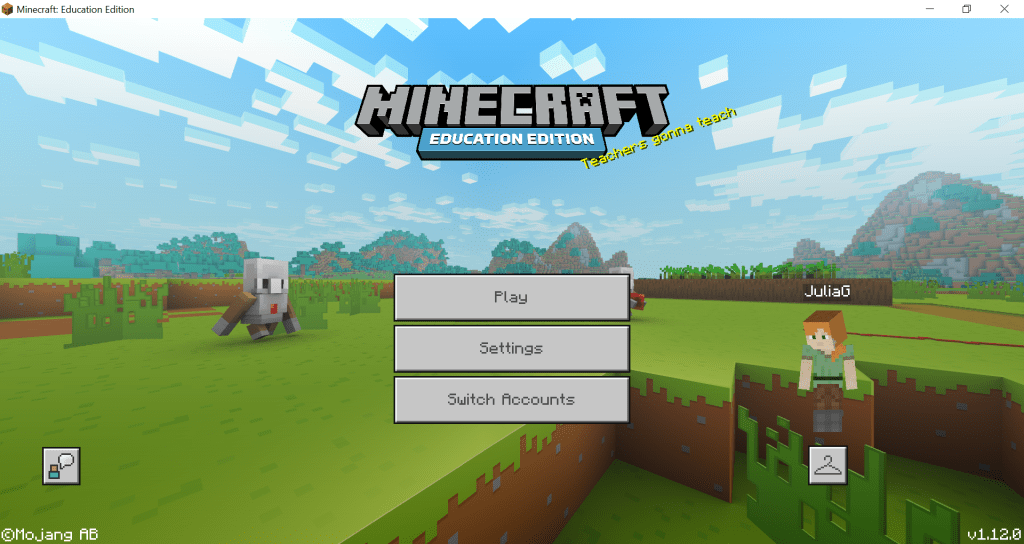
Figure 1. Homepage – Minecraft: Education Edition. (2019). Retrieved 24 October 2019, from https://education.minecraft.net/

Minecraft Education Edition is an online platform that has been designed to enable teachers and students to create and explore a virtual reality. The operations are similar to the mainstream game of Minecraft game except that teachers are given additional controls over their classes, specialty blocks, chat tools and tutorials of how to use Minecraft Education Edition. Teachers and students are usually required to log on through their school platform which means that students are within a virtual reality which contains only other students and their teacher.

This platform contains:

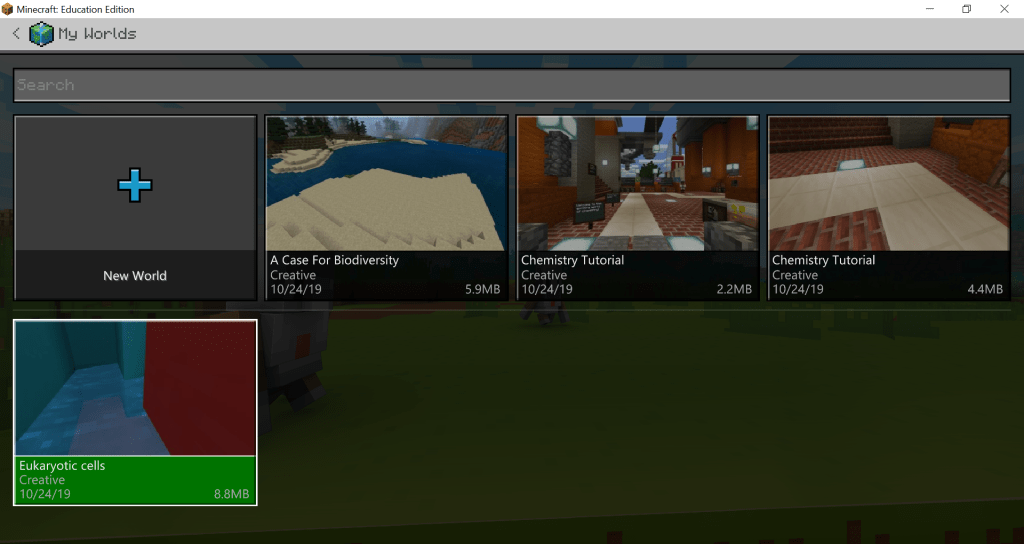
  • “View My Worlds” which is a database of worlds that have already been created and explored.
Figure 2. Options – Minecraft: Education Edition. (2019). Retrieved 24 October 2019, from https://education.minecraft.net/
  • “Create New” which allows the user to make customised worlds through “create new” or to import worlds created by others (see Figure 2)
Figure 3. Create New – Minecraft: Education Edition. (2019). Retrieved 24 October 2019, from https://education.minecraft.net/
  • “Join World” which allows the user to join worlds of those that are already active. This would be used in the case of a teacher asking students to join a world for their lesson. (See Figure 3)
Figure 4. Join World – Minecraft: Education Edition. (2019). Retrieved 24 October 2019, from https://education.minecraft.net/
  • “View My Worlds” which allows the user to see the worlds that they have previously explored.
Figure 5. View My Worlds – Minecraft: Education Edition. (2019). Retrieved 24 October
2019, from https://education.minecraft.net/
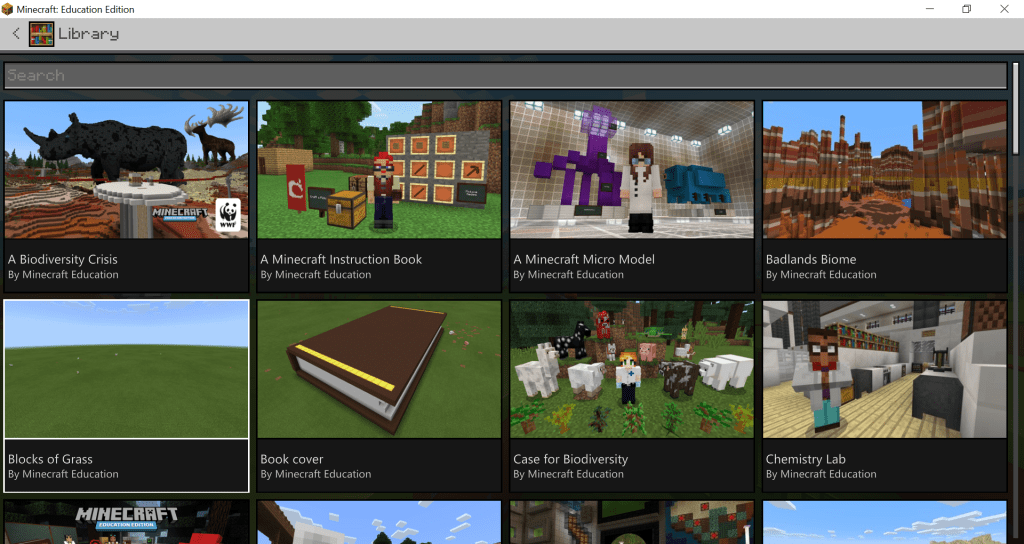
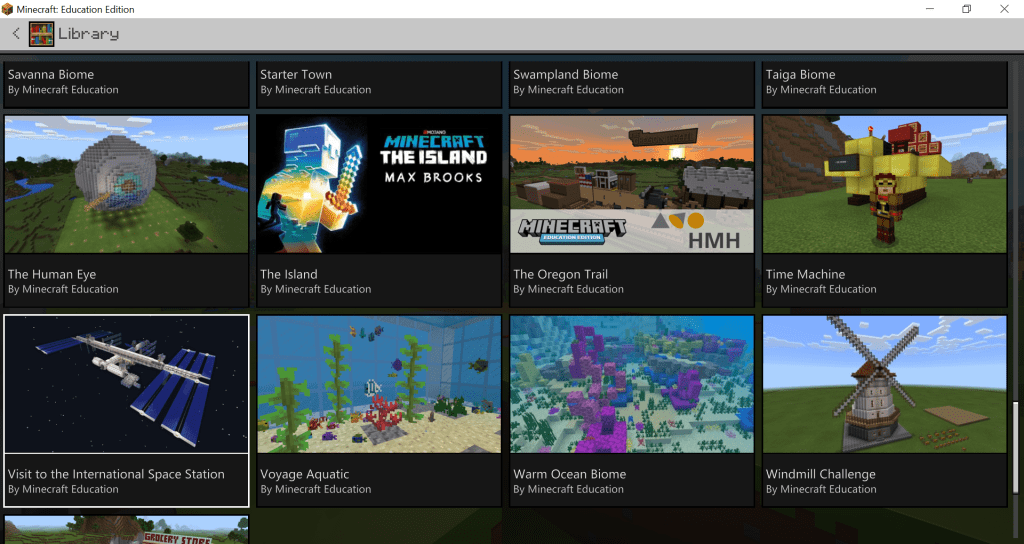
  • “View Library” which allows the user to view worlds that have been generated by Minecraft Education for specific lessons plans. For Science the kinds of worlds that are available are worlds that explore (see Figures 6, 7 and 8):
    • Biodiversity and Biomes
    • Modelling in Science
    • Chemistry Labs
    • Vehicle Development
    • Designing Spaces
    • Visiting the International Space Station
    • Circuit builder
Figure 6. View Library 1 – Minecraft: Education Edition. (2019). Retrieved 24 October 2019, from https://education.minecraft.net/
Figure 7. View Library 2 – Minecraft: Education Edition. (2019). Retrieved 24 October 2019, from https://education.minecraft.net/
Figure 8. View Library 3 – Minecraft: Education Edition. (2019). Retrieved 24 October 2019, from https://education.minecraft.net/
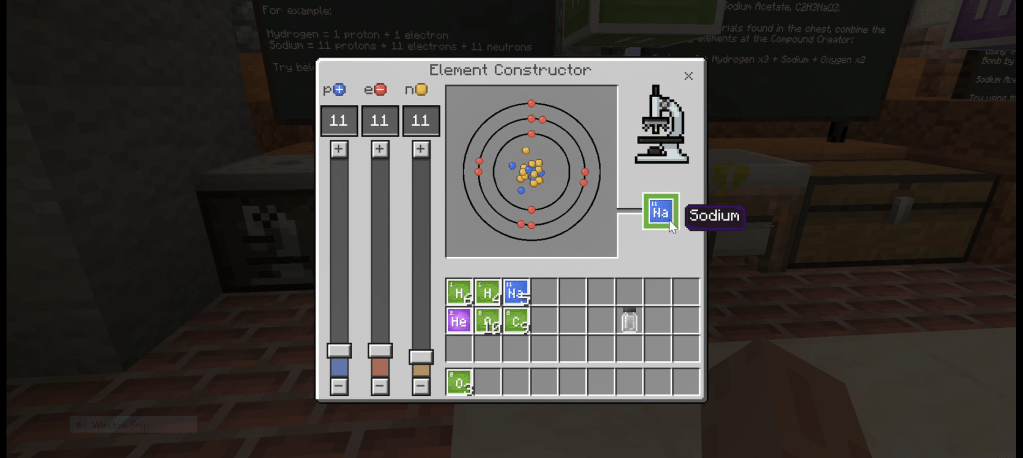
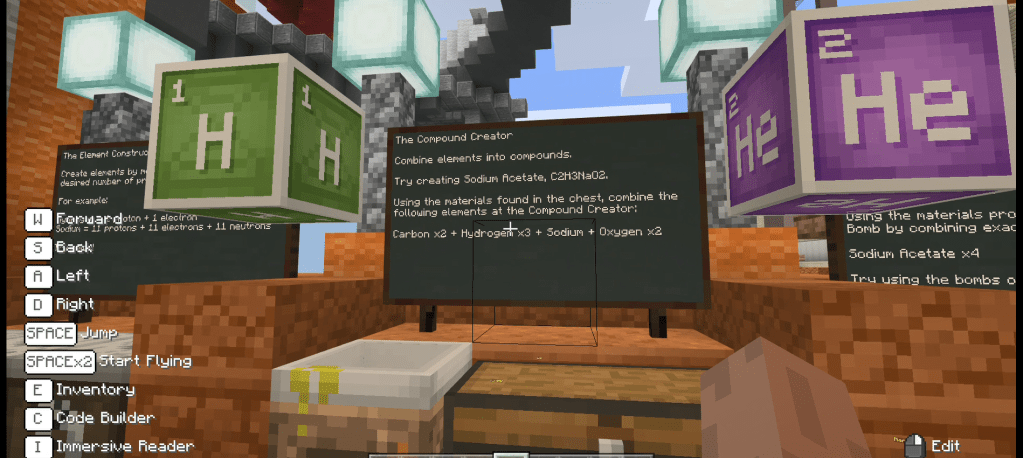
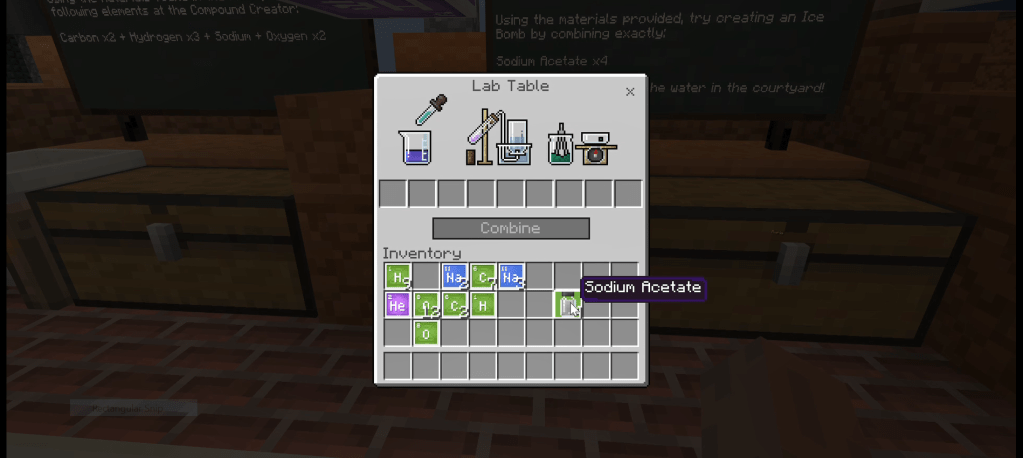
  • While playing the game there could be open play construction, challenges created by the teacher or in pre loaded worlds such as a Chemistry Lab where they have to complete challenges such as making elements, combining these into compounds and completing further challenges with these compounds. (See Figure 9, 10 and 11)
Figure 9. Chemistry Lab, The Element Constructor – Minecraft: Education Edition. (2019). Retrieved 24 October 2019, from https://education.minecraft.net/
Figure 10. Chemistry Lab, The Element Constructor – Minecraft: Education Edition. (2019). Retrieved 24 October 2019, from https://education.minecraft.net/
Figure 11. Chemistry Lab, The Compound Creator – Minecraft: Education Edition. (2019). Retrieved 24 October 2019, from https://education.minecraft.net/
Figure 12. Chemistry Lab, Lab Table – Minecraft: Education Edition. (2019). Retrieved 24 October 2019, from https://education.minecraft.net/

Minecraft Education in Science Advantages

Nebel, Schneider and Rey (2016) expressed in their literature review of that the benefits of Minecraft in Education are the simplicity for students, the interactive and collaborative nature of the platform, and the function of transformational play (p. 359). In the Science context I see the main advantage of Minecraft Education is the ability for students and teachers to play and create realities that would not be possible in the real world. An example of this is recently my colleagues (Science Teachers) had their students (Stage 4) design their own zoo enclosures for an animal of interest. Students were able to create vet surgeries, education rooms, welcome areas, posters of their animals, viewing platforms and transport around the whole zoo. As they had unlimited space and resources, the limit was only their imagination and the basic rules within the Minecraft world. This relatively unlimited nature of this platform means that students are able to express themselves creativity and found the process highly engaging.

Minecraft Education in Science Limitations

The main drawbacks for a platform like Minecraft Education is that a great deal of time needs to be spent to ensure that genuine learning is occurring which might not be available to all schools. To ensure that the time spent in this platform leads to meaningful learning, there always needs to be tight parameters around the products, the time that they are able to spend on the game and specific criteria for success. Otherwise students might feel like they are aimlessly playing on the platform meaning solid learning may not be occurring. Further to this, there is a worry of addiction and perfectionism that can occur in a platform like Minecraft Education. There is always more to create, build and refine. Without strict guidance and time limits this could be an issue. Another drawback is that not all students enjoy using this platform so it would be important for teachers to use this tool as one of the many tools that they use to engage students to ensure there is enough differentiation and variety. This should not be the only way students can engage and communicate their learning as building a physical model and manipulating real equipment in a Science lab is of great importance to ensure students know how to operate experiments in the real world. Furthermore, as the Minecraft world oversimplifies physical and environmental rules of the real world, the models created will have limitations of accuracy and thus fidelity of the platform to real life. (Bower, 2017, p. 331) For example, Minecraft has no curves and the light in the game is not accurate to the way light would actually move and reflect off a structure which is a draw back for in. (Nebel, Schneider and Rey, 2016, p. 360)

References:

Bower, M. (2017). Design of technology-enhanced learning – Integrating research and practice. Bingley, UK: Emerald Publishing Group

Minecraft: Education Edition. (2019). Retrieved 24 October 2019, from https://education.minecraft.net/

Nebel, S., Schneider, S., & Rey, G. (2016). Mining Learning and Crafting Scientific Experiments: A Literature Review on the Use of Minecraft in Education and Research. Journal of Educational Technology & Society,19(2), 355-366.

Topic 7 – Designing for Learning Using Social Networking

Class Dojo – Background

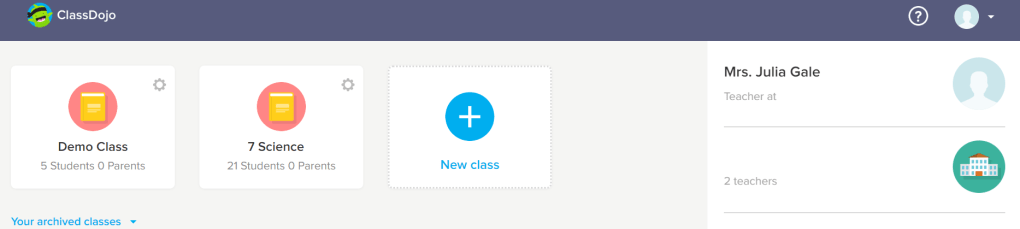
Figure 1. Dashboard – Learn all about ClassDojo ♥. (2019). Retrieved 10 October 2019, from https://www.classdojo.com/

Class Dojo is a social networking platform has been specifically designed to enable teachers, students and parents to build a positive online learning community.

Class Dojo requires students, parents and teachers to have a login on the website and to subscribe to a school community online and to be assigned to a particular class.

This platform contains:

  • Classes Dashboard (see Figure 1) – teachers can create classes which will be displayed on the dashboard which reflect their actual classes
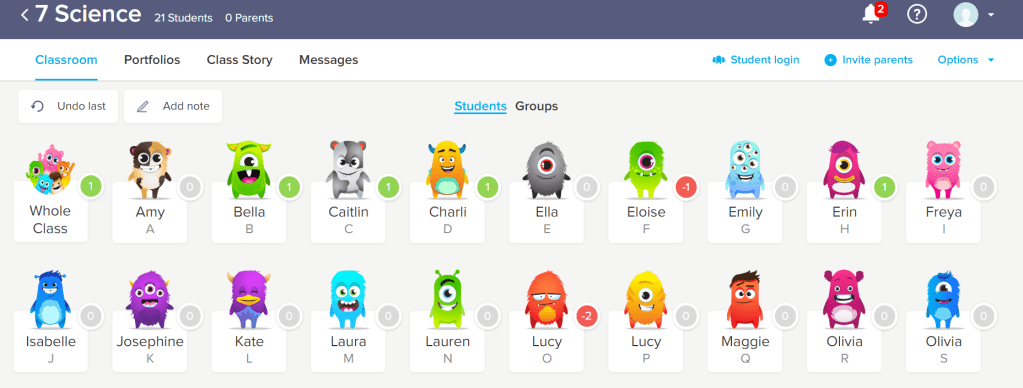
  • Classroom (see Figure 2)- An overview of each student with a number which indicates whether the students have been assigned positive or negative feedback (as indicated by the red or green number)
Figure 2. Classroom – Learn all about ClassDojo ♥. (2019). Retrieved 10 October 2019, from https://www.classdojo.com/
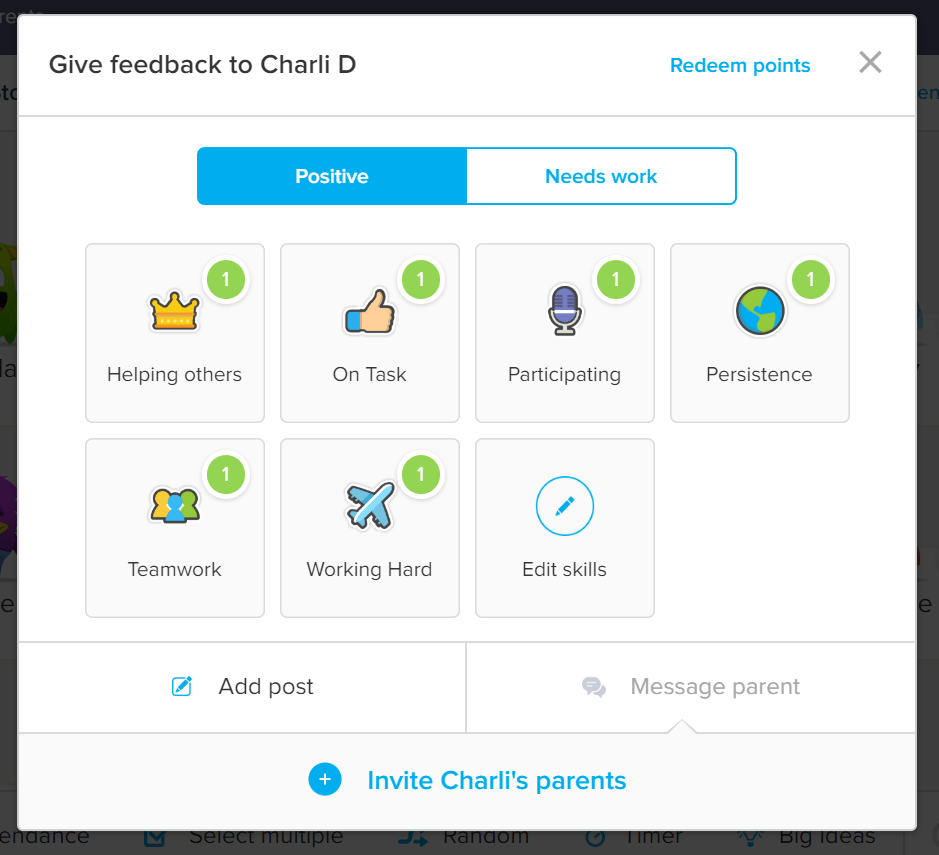
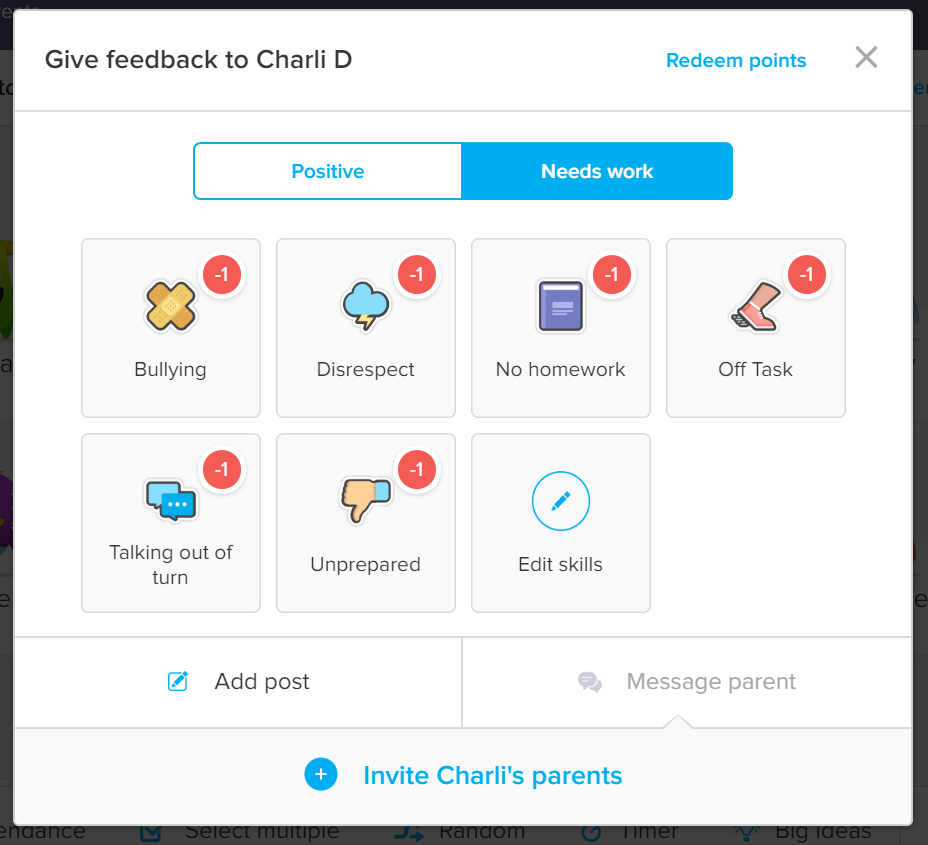
  • Feedback (See Figure 3 and 4) – Positive and negative feedback which can be assigned to students to give them an overall score (the outcome of the positive and negative number added)
Figure 3. Positive Feedback – Learn all about ClassDojo ♥. (2019). Retrieved 10 October 2019, from https://www.classdojo.com/
Figure 4. Positive Feedback – Learn all about ClassDojo ♥. (2019). Retrieved 10 October 2019, from https://www.classdojo.com/
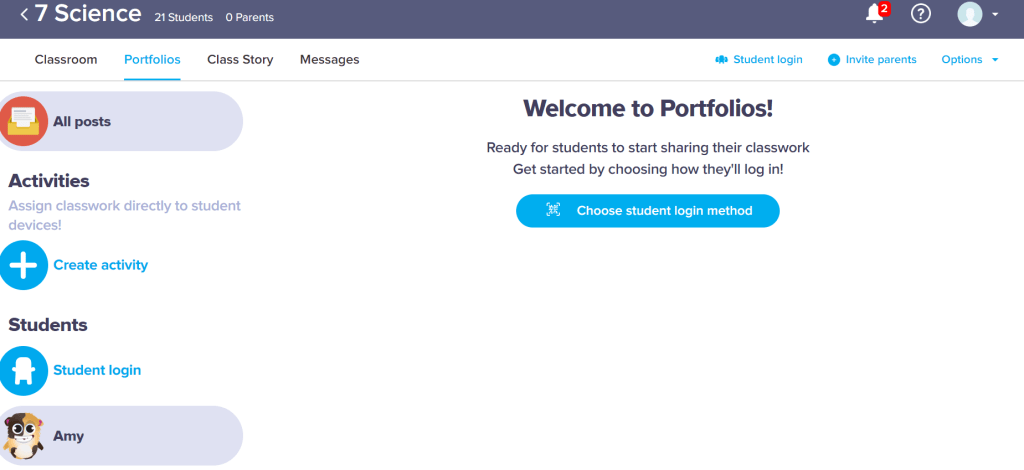
  • Porfolios (See Figure 4) – where students can be assigned work for teacher feedback and for student collaboration.
Figure 5. Porfolios – Learn all about ClassDojo ♥. (2019). Retrieved 10 October 2019, from https://www.classdojo.com/
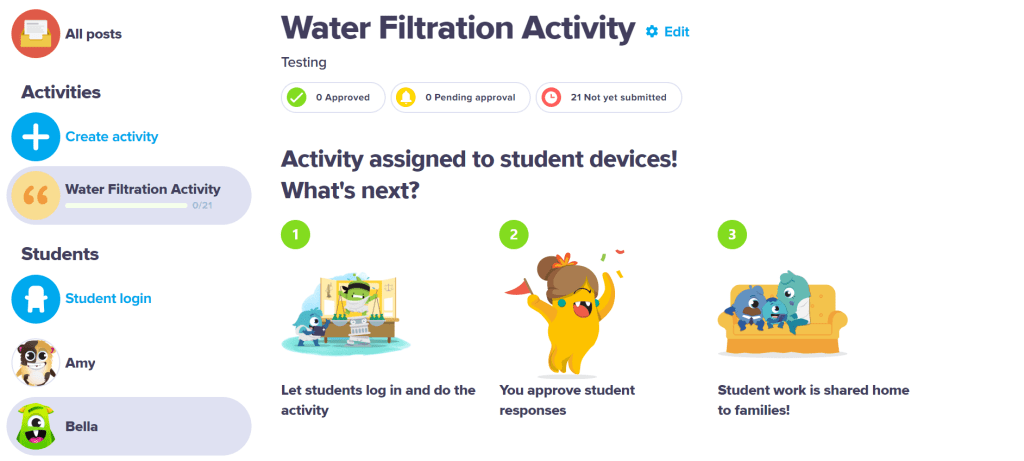
  • Activities (See Figure 6) – students can be assigned work and teachers can see at a glance who has completed what activities and what feedback is needed.
Figure 6. Activities- Learn all about ClassDojo ♥. (2019). Retrieved 10 October 2019, from https://www.classdojo.com/
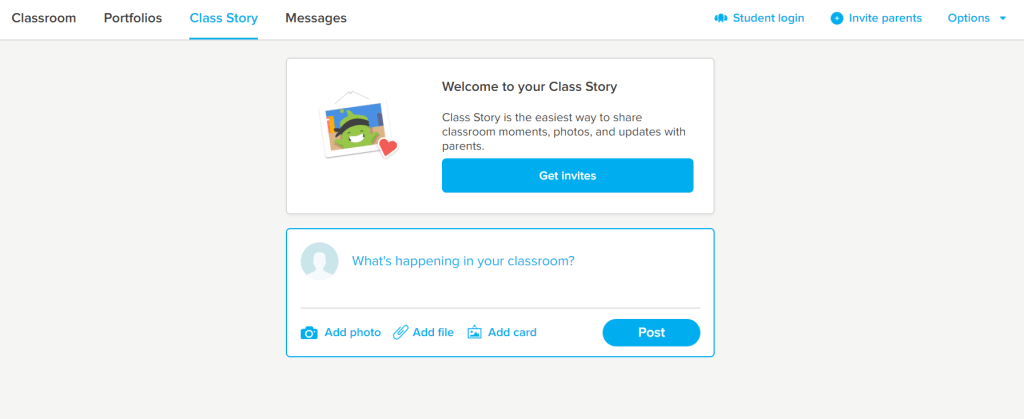
  • Class story (See Figure 7) – which allows the teacher to post updates (text, photos, files or story cards) so that parents can see what their children have been doing in class.
Figure 7. Class Story- Learn all about ClassDojo ♥. (2019). Retrieved 10 October 2019, from https://www.classdojo.com/
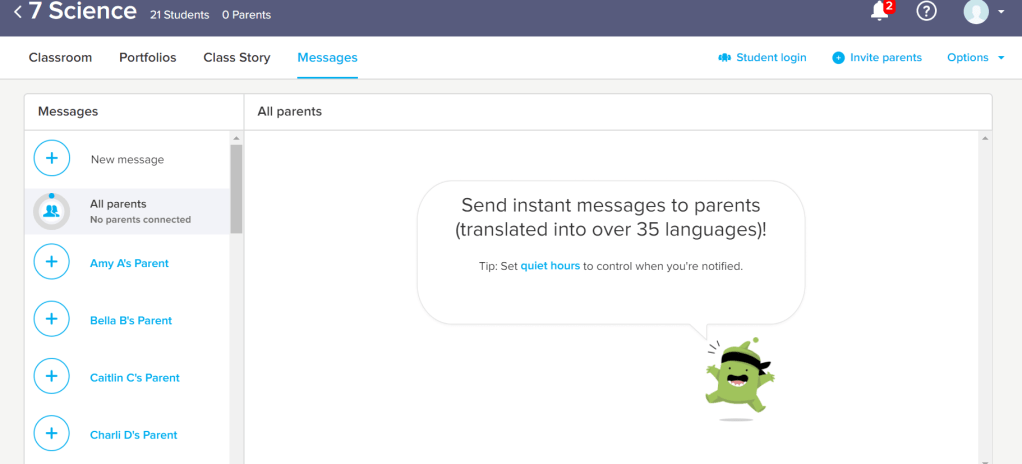
  • Messages (See Figure 8) – these are to be used for communication between the teacher and the parents in replacement of emails. Messages can be translated into 35 different languages to facilitate clear communication between the two parties.
Figure 8. Class Story- Learn all about ClassDojo ♥. (2019). Retrieved 10 October 2019, from https://www.classdojo.com/
  • Resources – outside of the dashboard teachers have access to a variety of premade resources which can be sent to both students and parents to assist students in using Class Dojo.

Class Dojo – Secondary School Science Classroom Advantages

While Class Dojo does offer most of what my classes would have access through on our learning platform (Canvas), one major advantages is the formalisation of behaviour management and increasing the transparancy of what is occuring in the classroom through the Class Story. Through providing postive and negative feedback students are given a visualisation of their interactions in class and are therefore made aware of their behaviour. Often teachers focus on negative behaviours that need to be address that positive behaviours can be overlooked. This platform provides an intentional record of positive engagement in learning that can then be recognised and rewarded.(Cetin & Cetin, 2018, p. 90) The point system will, in part, motivate students to strive to better engaged in class. However, one might argue that well designed and interesting learning activities might negate negative behaviour without the need for a point system. What is additionally positive is that research conducted by Cetin & Cetin, 2018, found that overall students in Grades 5 – 8 feel positive about the use Class Dojo and gender did not make a difference to their perspective on this platform (p. 95). A platform like Class Dojo’s main strength in being able to develop positive rapport with students through encouragement and including parents in the learning of the class which fosters communication and belonging. (Bower, M., 2017, p. 233)

Class Dojo – Secondary School Science Classroom Limitations

The major drawback of a platform like Class Dojo in the secondary context is that once students go beyond Stage 4, it no longer feels age appropriate. This is reflected a study by Cetin & Cetin, 2018, which showed a drop in positive interest in the program in the older grades (p. 94). In the later part of secondary school students may start to feel like this platform is too ”young” and this means that there may be little interest to engage with this platform to track positive and negative feedback from their teacher therefore rending the use Class Dojo ineffective for behaviour management. Furthermore, the class story aspect of the platform encourages parents to see what students are completing in class, however it is well known that students of the Stage 5 and 6 age are craving independence and privacy from their parents and thus students might find a platform like this unsuitable to their social and developmental needs.

References:

Bower, M. (2017). Design of technology-enhanced learning – Integrating research and practice. Bingley, UK: Emerald Publishing Group

Cetin, H., & Cetin, I. (2018). Views of Middle School Students about Class Dojo Education Technology. Acta Didactica Napocensia11(3-4), 89-96. doi: 10.24193/adn.11.3-4.7

Learn all about ClassDojo ♥. (2019). Retrieved 10 October 2019, from https://www.classdojo.com/

Topic 5 – Design Thinking and Learning Design

Using “Learning Designer” to map out an existing lesson and assessing the helpfulness of this process.

Overview:

Something that comes quite naturally to teachers who have a wealth of experience, is the art of lesson planning or learning design. While all teachers should have access to a program for a unit of work, these programs are usually quite a general overview of the unit and lack the “nitty gritty” of real lessons. However, for experienced teachers learning design can become so automatic that rarely any notes are made about how successful learning activities are sequenced meaning it is difficult to display and communicate these lesson designs. The way a good lesson is planned can, and should, be shared, but teachers need to have a way to effectively communicate their design to other teachers so that they may implement their original design. (Bower, 2017, p. 141) Using Educational Design Models, such as Learning Designer (Dimakopoulos, 2019), new teachers or teachers inexperienced in this area of the syllabus could be able to visualise this practise.

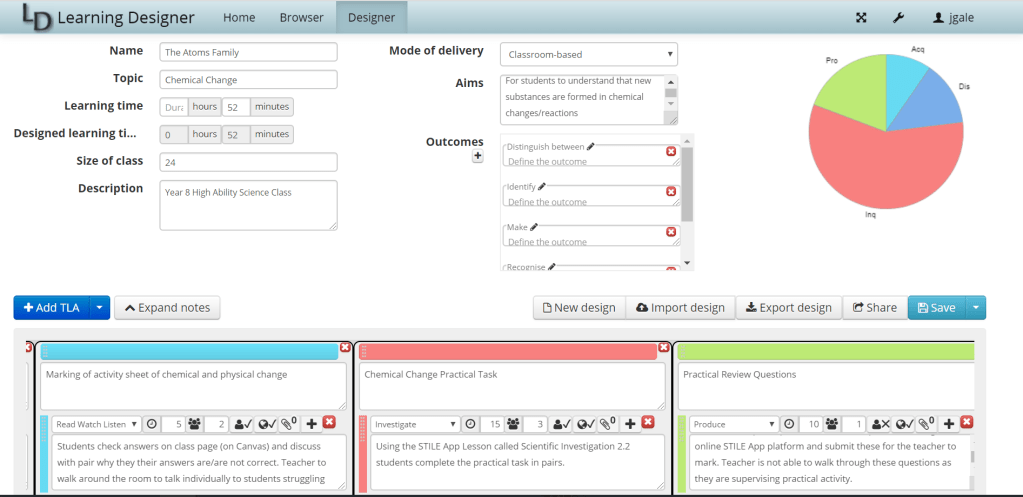
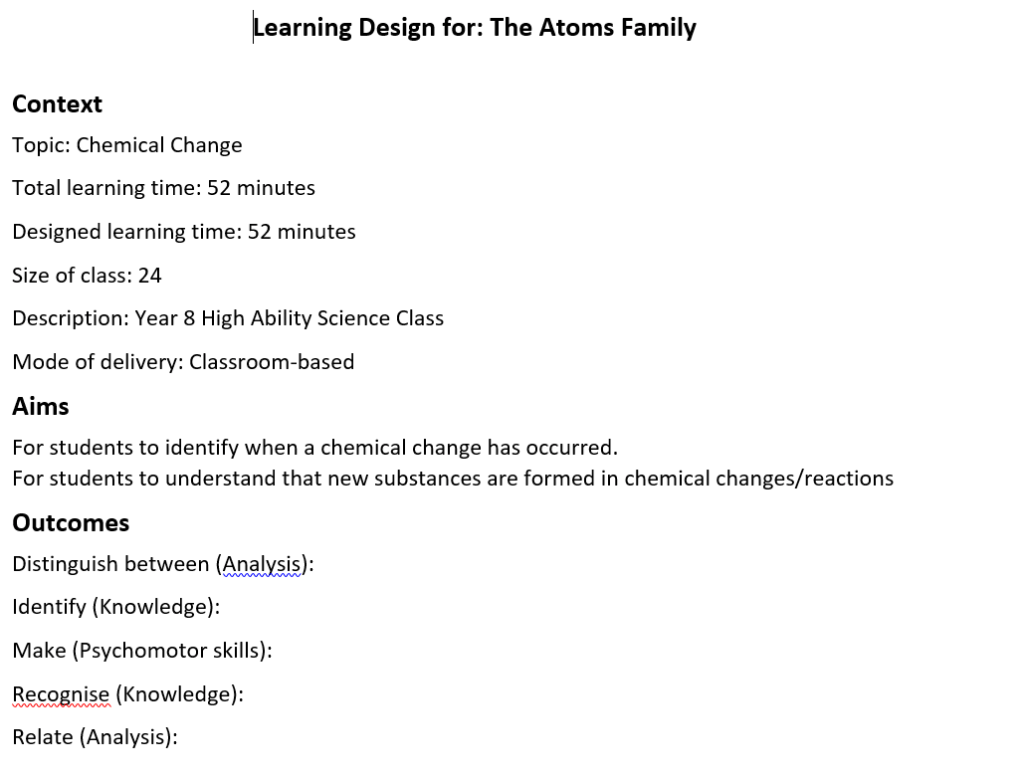
To try out this tool, I used a lesson that have recently designed for a high ability Year 8 NSW Science Class learning about chemical changes. Using Learning Designer I was able to document:

  • The type of activity (e.g. analysis)
  • The time taken for the activity
  • The grouping of the activity
  • The availability of the teacher
  • Resources
  • Whether there was an online component
Figure 1. Learning Designer Timeline (Dimakopoulos, 2019)

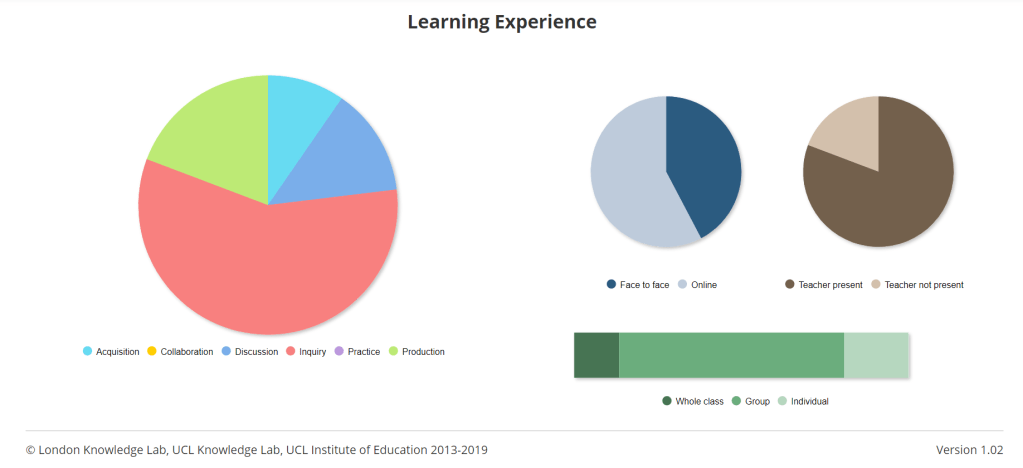
After this, by clicking “Analysis” in the top left corner a graphical representation of the lesson was accessible. The three graphs displayed a temporal break up of the balance of activity types, whether it was online/face to face, the presence of the teacher and the type of groupings (individual, group or whole class).

Figure 2. Learning Designer Analysis (Dimakopoulos, 2019)

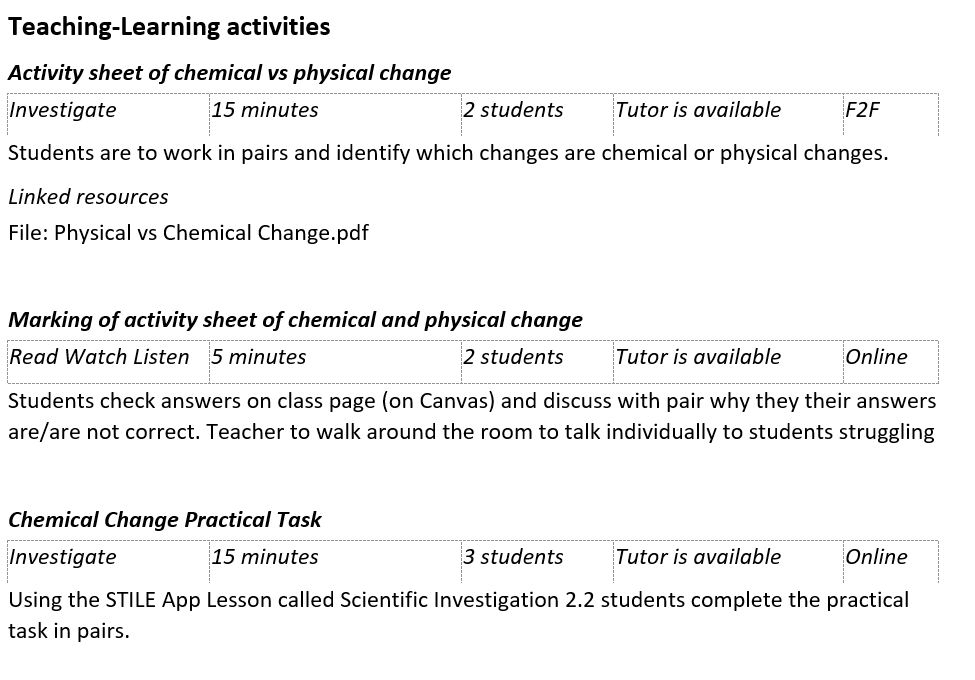
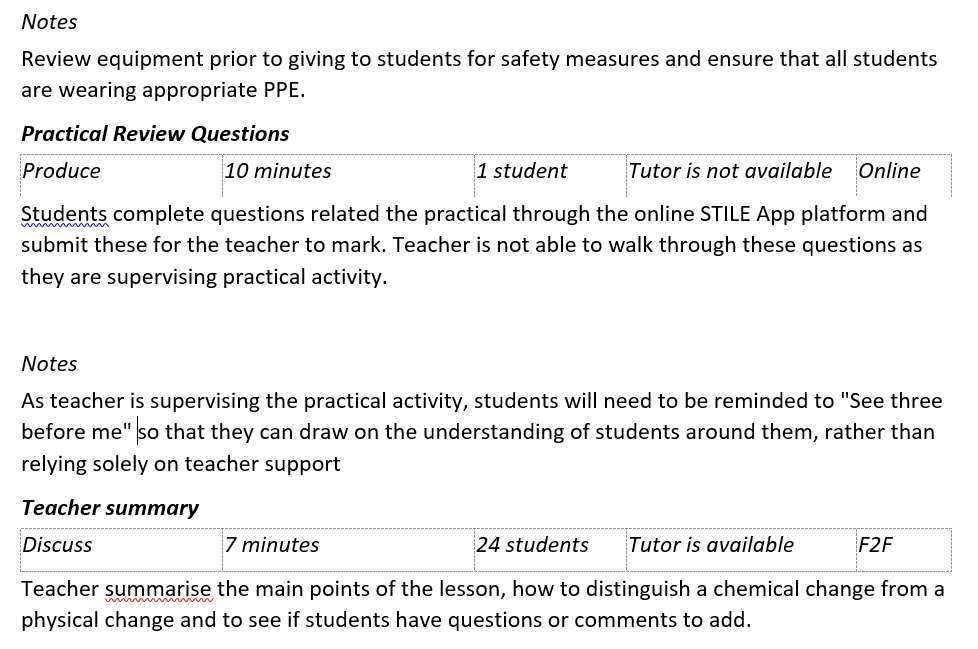
A word document can also be exported, showing the break up of the different parts of the lesson, directly reflecting was was put into the TLA’s.

Figure 3. Learning Designer Export (Dimakopoulos, 2019)

Assessment of helpfulness:

I found this to be an excellent tool for enabling professional reflection on the effectiveness of my learning design. For example, as someone who is passionate about inquiry learning, I was pleased in the analysis that a large proportion of my lesson was inquiry which suggested my practise for this lesson matches my philosophical perspective. The collegiality of this tool is another huge benefit. This tool would be very useful for communicating to other teachers a learning design, particularly if a teacher is known for being effective in planning and running activities in a unit. This could be particularly useful for pre-service or new graduate teachers in providing the with examples of solid lessons and enabling them to reflect on their practice, ensuring that they are diversifying not only the kind of activity but the time given to each style of learning. The usefulness of this tool was confirmed in a recent study by Laurillard, Kennedy, Charlton, Wild & Dimakopoulos (2018) p. 1050, who found that 70% of teachers using the Learning Designer saw the valued of sharing designs with this tool and 60% can see the benefits to planning teaching using the tool.

While very useful, this would unlikely be a tool used for planning every lesson as this would be unrealistic and unnecessary for experienced teachers. Further to this, the true nature of teaching and learning is that there are some activities that do fall outside of the scope of the prescribed areas. Discussions with students one on one and organic moments in the class cannot be captured with this tool. Rather this tool is useful for obtaining an overview of the flow/design of a lesson so as to help other teachers replicate and best enable effective learning.

References:

Bower, M. (2017). Design of Technology-Enhanced Learning: Integrating Research and Practice. Bingley, UK: Emerald Publishing.

Dimakopoulos, D. (2019). Learning Designer. Retrieved 22 September 2019, from https://www.ucl.ac.uk/learning-designer/index.php

Laurillard, D., Kennedy, E., Charlton, P., Wild, J., & Dimakopoulos, D. (2018). Using technology to develop teachers as designers of TEL: Evaluating the learning designer. British Journal Of Educational Technology49(6), 1044-1058. doi: 10.1111/bjet.12697

Topic 3 – Technology Affordances and Multimedia

Education Perfect – Background

Figure 1. Education Perfect | Making great teachers extraordinary. (2019). Retrieved 7 September 2019, from https://www.educationperfect.com/

The Education Perfect platform has been reviewed by science teachers as a 21st Century interactive teaching and learning resource which students are enjoying using due to its visual appeal, accessibility for a wide range of students, its competitive nature and exciting visuals. (Ansourian, 2014, p. 57)

The platform contains:

  • The content library – containing pre-loaded lessons (smart lessons) related to NSW syllabus called “Education Perfect Content” as well as any content developed by others.

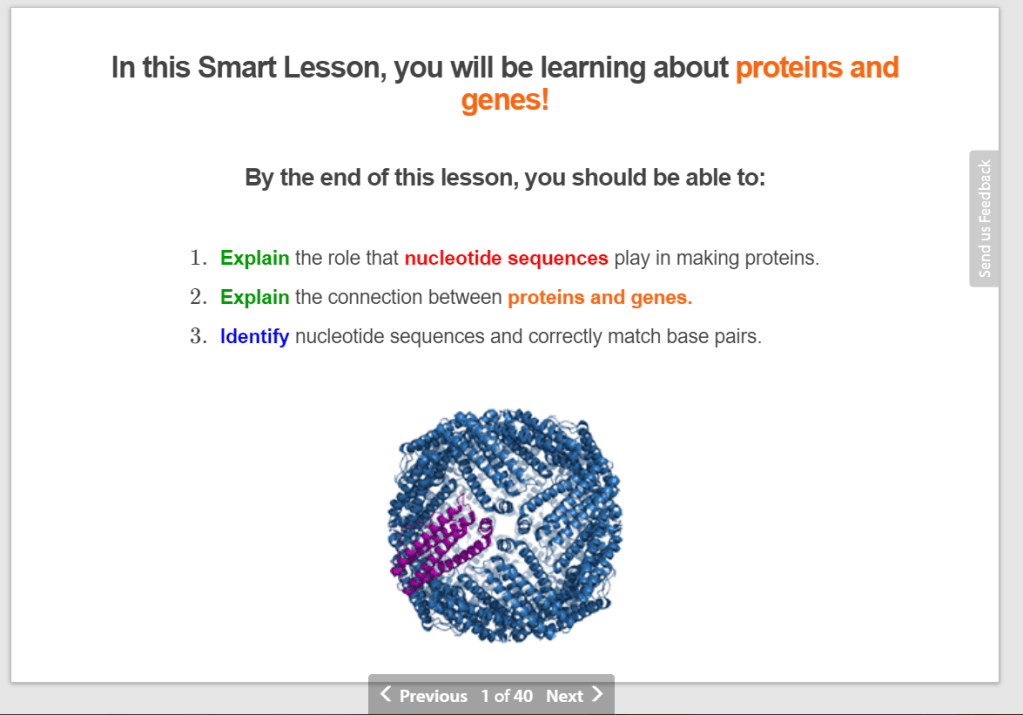
Example of a slide from a smart lesson

Figure 2. Education Perfect | Making great teachers extraordinary. (2019). Retrieved 7 September 2019, from https://www.educationperfect.com/

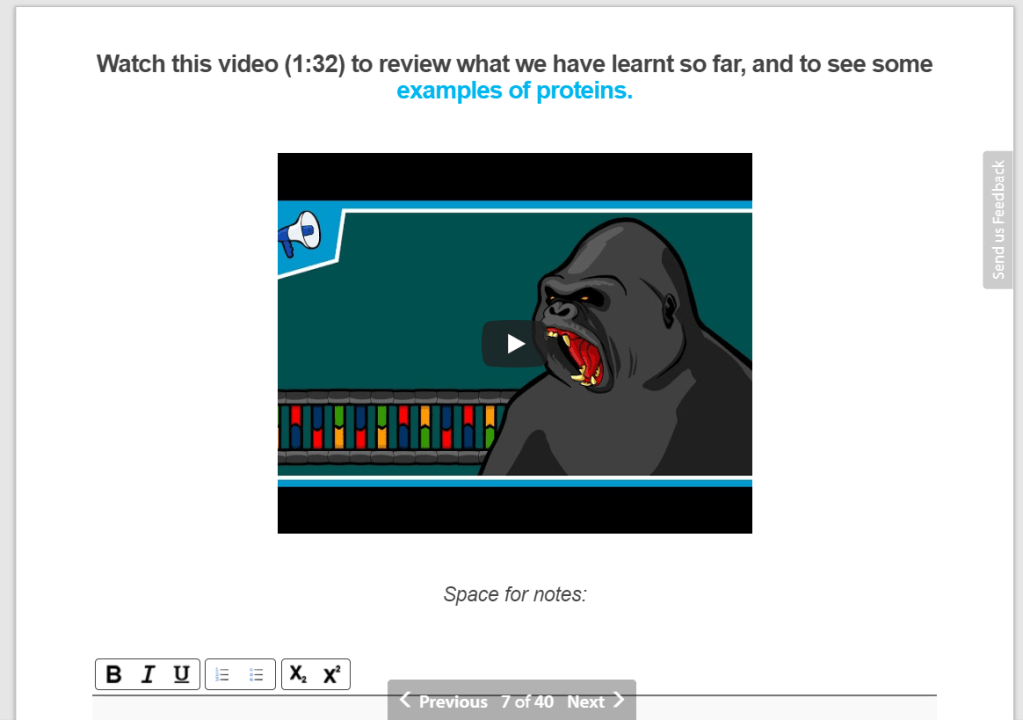
Example of a slide with embedded video content

Figure 3. Education Perfect | Making great teachers extraordinary. (2019). Retrieved 7 September 2019, from https://www.educationperfect.com/

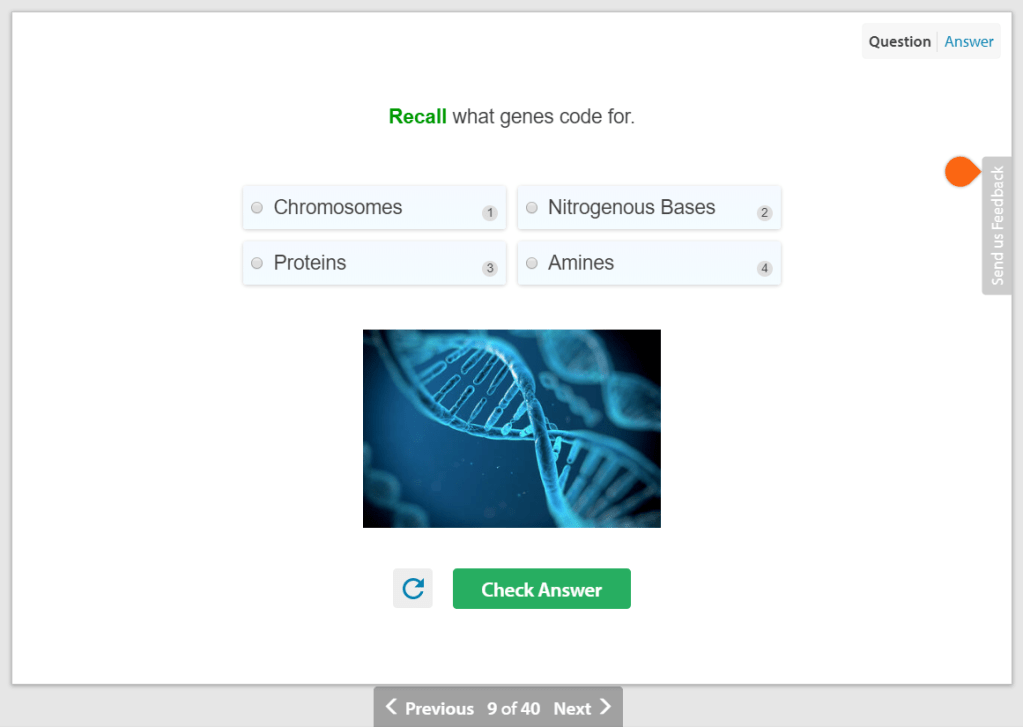
Example of a slide with a multiple choice question

Figure 4. Education Perfect | Making great teachers extraordinary. (2019). Retrieved 7 September 2019, from https://www.educationperfect.com/

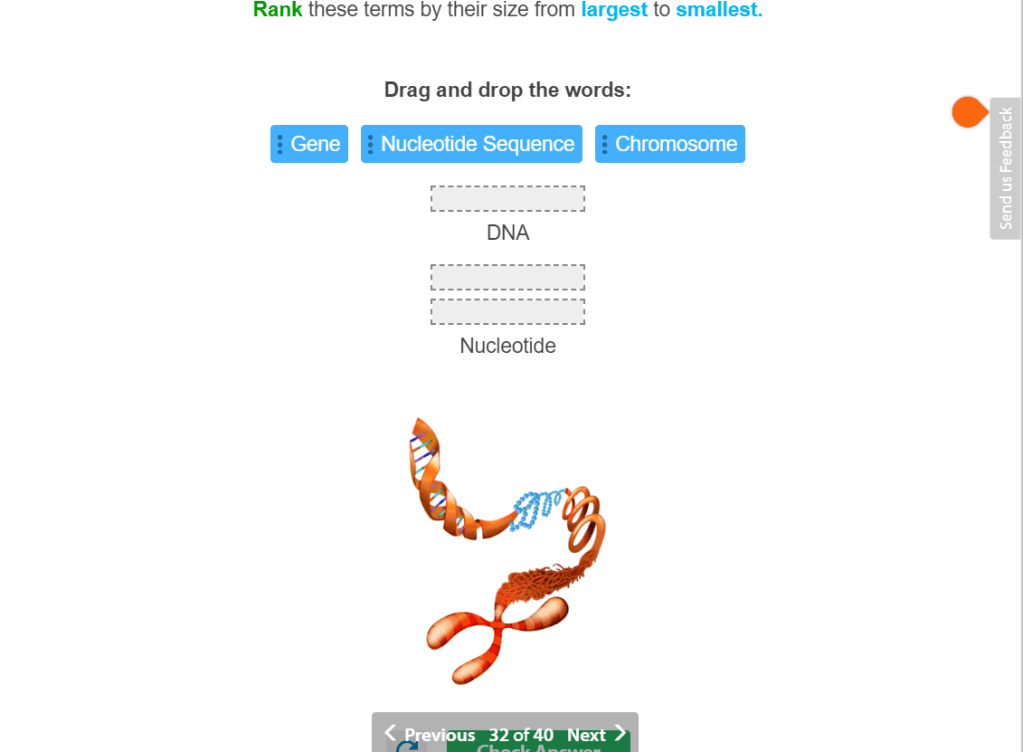
Example of a slide with drag and drop slide questions

Figure 5. Education Perfect | Making great teachers extraordinary. (2019). Retrieved 7 September 2019, from https://www.educationperfect.com/
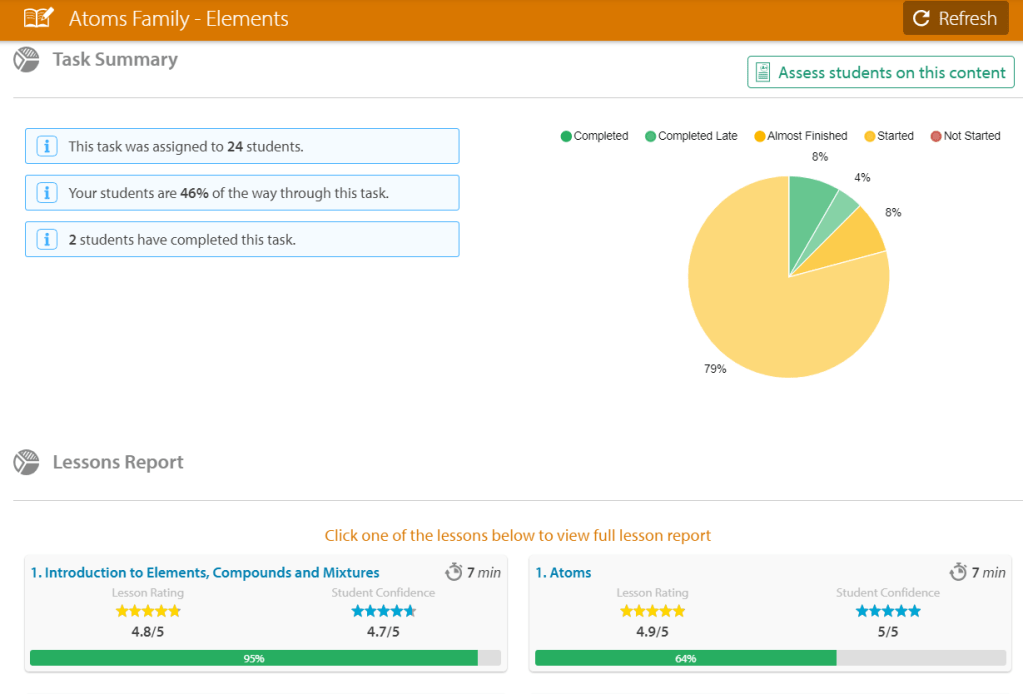
  • Tasks and Homework – if a smart lesson is assigned to a class Education Perfect will enable focus tracking, rate student learning and show submission of responses.

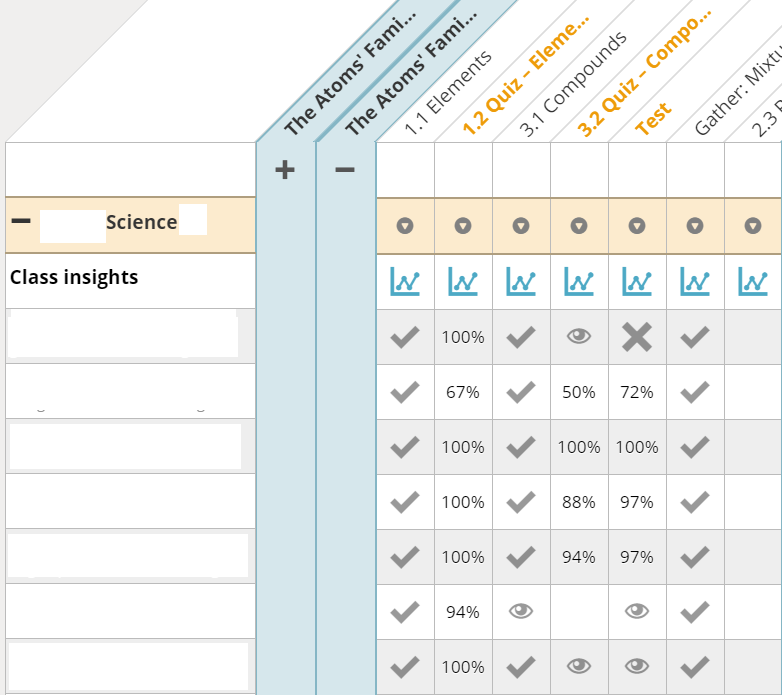
Example of a progress summary of my class

Figure 6. Education Perfect | Making great teachers extraordinary. (2019). Retrieved 7 September 2019, from https://www.educationperfect.com/

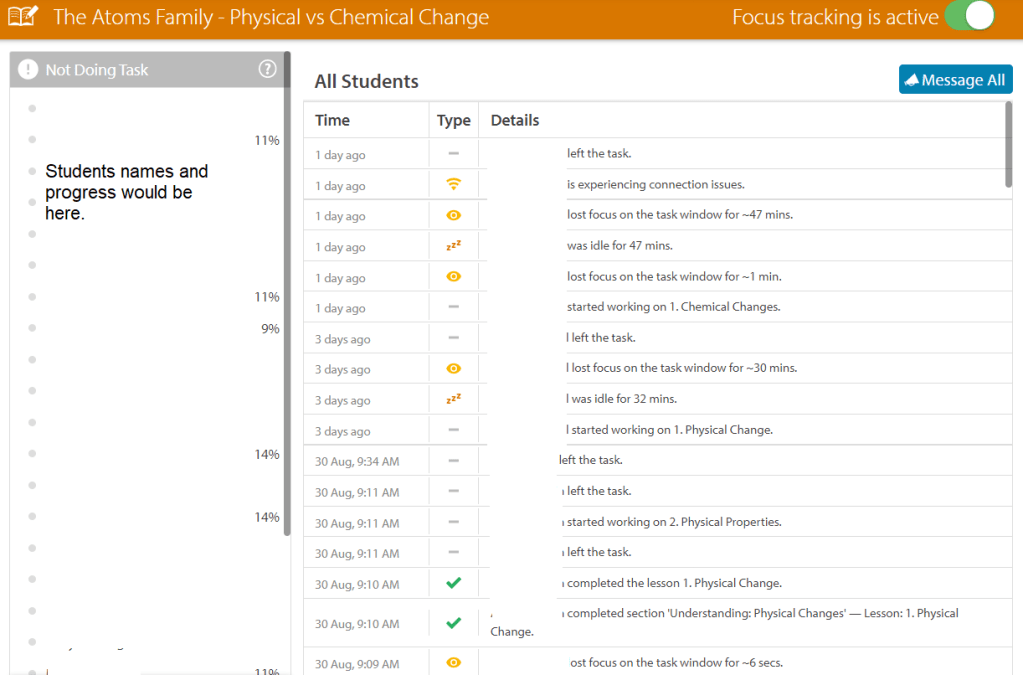
Example of focus tracking of my class

Figure 7. Education Perfect | Making great teachers extraordinary. (2019). Retrieved 7 September 2019, from https://www.educationperfect.com/

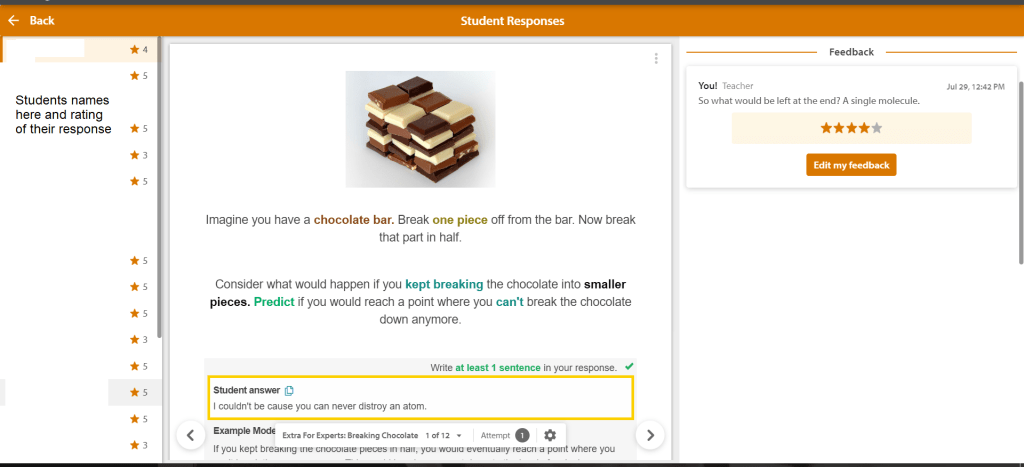
Example of my own class receiving feedback on their writing through this platform

Figure 8. Education Perfect | Making great teachers extraordinary. (2019). Retrieved 7 September 2019, from https://www.educationperfect.com/

Education Perfect – Affordances

“Affordances” as defined by Bower, M. (2017), p. 67, are “The action potentials inherent in an object (for instance a technology) that determine how it can be used.

Media Affordances

Education perfect has written text, images, sounds, videos, and ability to write. It does not allow students to draw, upload audio or video recordings.

Spacial Affordances

The platform for students is fixed, however it is able to be altered by teacher editing pre-loaded content or teachers generating original content.

Temporal Affordances

The platform can be access at anytime-anywhere and all parts of the lesson can be played back and can be accessed at different points by different students.

Navigation Affordances

Students and teachers have open access to all lessons (but teachers can see all assessment tasks) which means they can search for key words.

Access-control affordances

Education perfect has many options for settings such as:

  • Accessibility of assessment tasks
  • Browser lock down for assessment tasks

It does not allow students to share content with the teacher and/or each other.

Education Perfect – What tasks it can and cannot support

Education Perfect can support summative and formative learning of science concepts. It can be used to support differentiation in learning as the platform is able to suggest remedial tasks for specific students as it tracks their learning as they progress through a lesson.

Education perfect cannot support tasks where students would work in teams to share and collaborate to produce products or share their thoughts with each other. It does not enable higher order thinking problem solving tasks or inquiry based learning. It is static and instructive and not a collaborative platform.

References:

Ansourian, Vatche. Education Perfect: Science [online]. Teaching Science, Vol. 60, No. 4, Dec 2014: 57. Availability: <https://search-informit-com-au.simsrad.net.ocs.mq.edu.au/documentSummary;dn=822953624729865;res=IELHSS> ISSN: 1449-6313. [cited 07 Sep 19].

Bower, M. (2017). Design of technology-enhanced learning – Integrating research and practice. Bingley, UK: Emerald Publishing Group

Education Perfect | Making great teachers extraordinary. (2019). Retrieved 7 September 2019, from https://www.educationperfect.com/

Design a site like this with WordPress.com
Get started