Using “Learning Designer” to map out an existing lesson and assessing the helpfulness of this process.
Overview:
Something that comes quite naturally to teachers who have a wealth of experience, is the art of lesson planning or learning design. While all teachers should have access to a program for a unit of work, these programs are usually quite a general overview of the unit and lack the “nitty gritty” of real lessons. However, for experienced teachers learning design can become so automatic that rarely any notes are made about how successful learning activities are sequenced meaning it is difficult to display and communicate these lesson designs. The way a good lesson is planned can, and should, be shared, but teachers need to have a way to effectively communicate their design to other teachers so that they may implement their original design. (Bower, 2017, p. 141) Using Educational Design Models, such as Learning Designer (Dimakopoulos, 2019), new teachers or teachers inexperienced in this area of the syllabus could be able to visualise this practise.
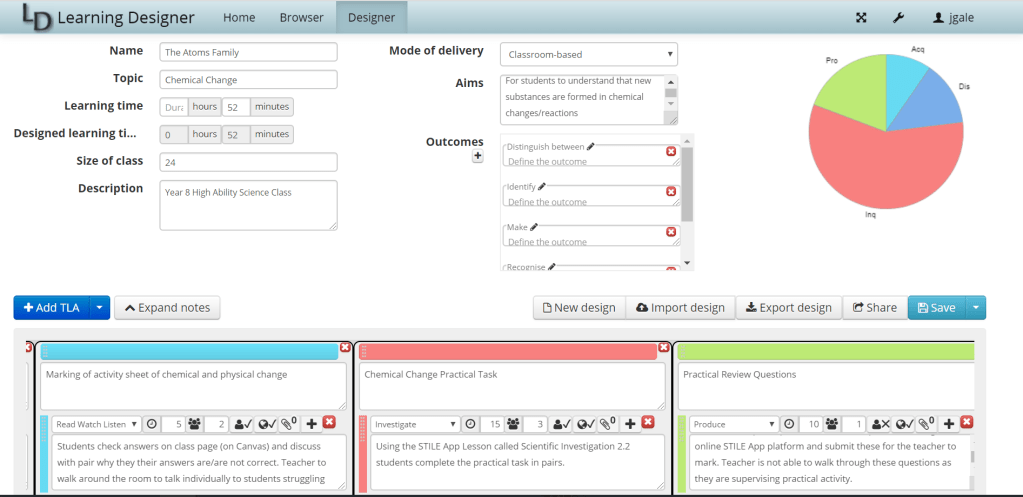
To try out this tool, I used a lesson that have recently designed for a high ability Year 8 NSW Science Class learning about chemical changes. Using Learning Designer I was able to document:
- The type of activity (e.g. analysis)
- The time taken for the activity
- The grouping of the activity
- The availability of the teacher
- Resources
- Whether there was an online component
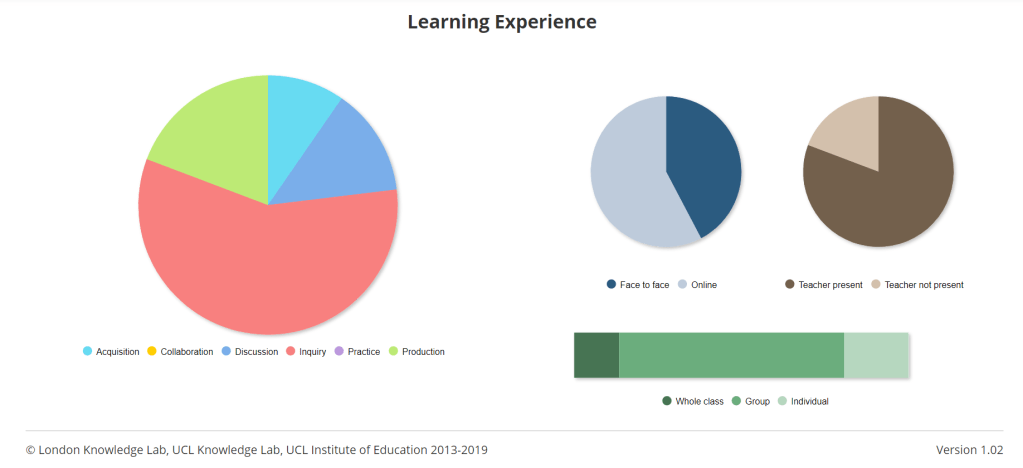
After this, by clicking “Analysis” in the top left corner a graphical representation of the lesson was accessible. The three graphs displayed a temporal break up of the balance of activity types, whether it was online/face to face, the presence of the teacher and the type of groupings (individual, group or whole class).
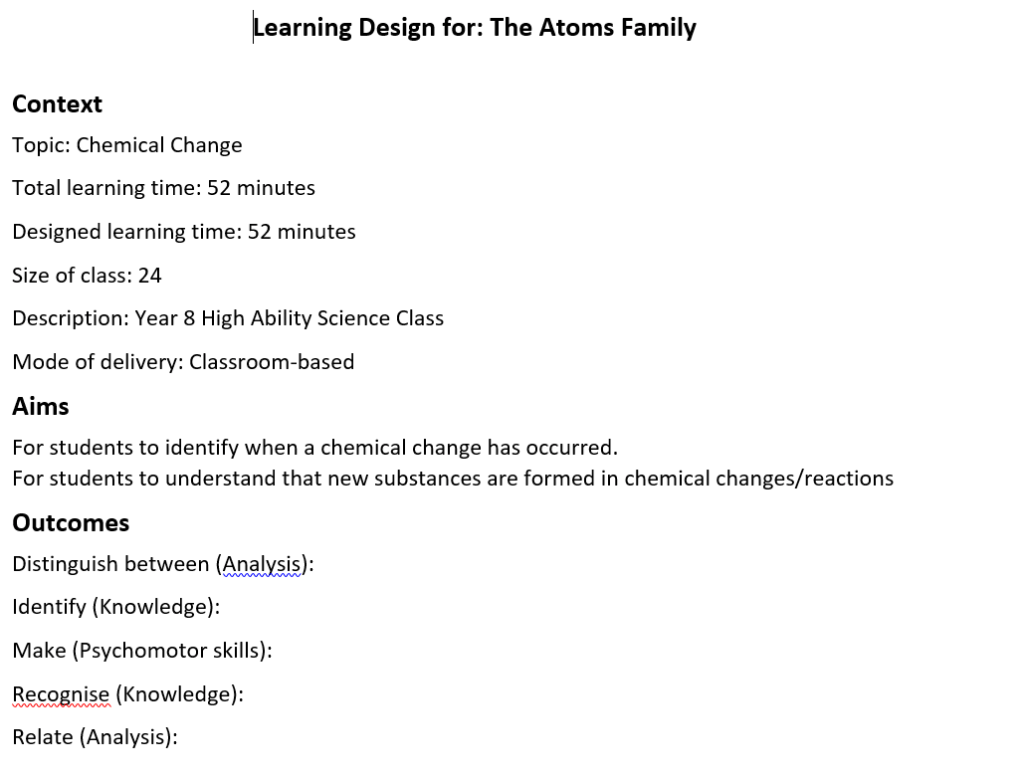
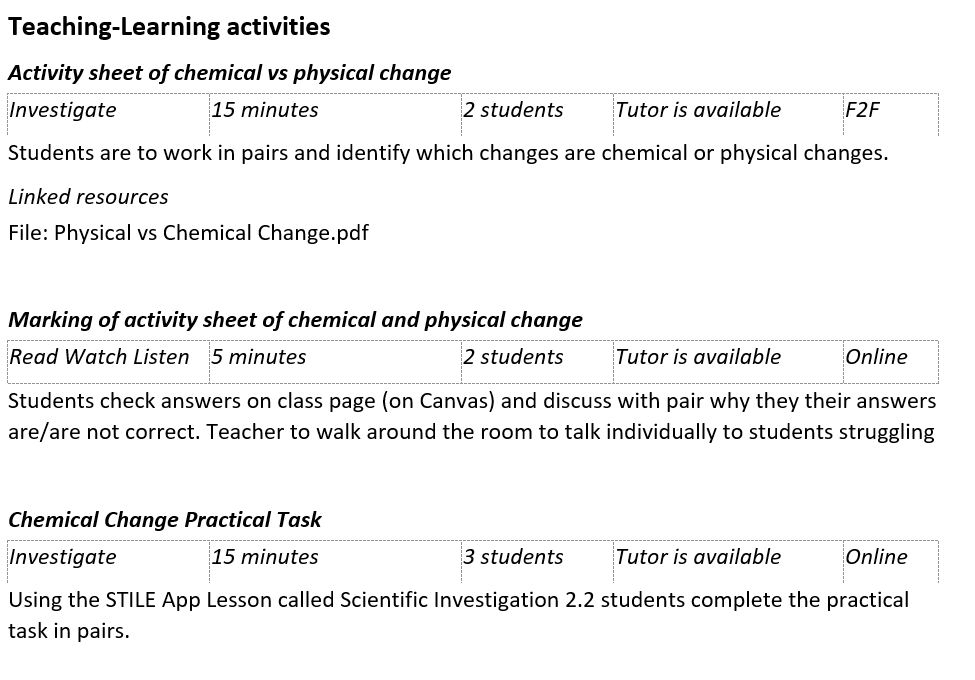
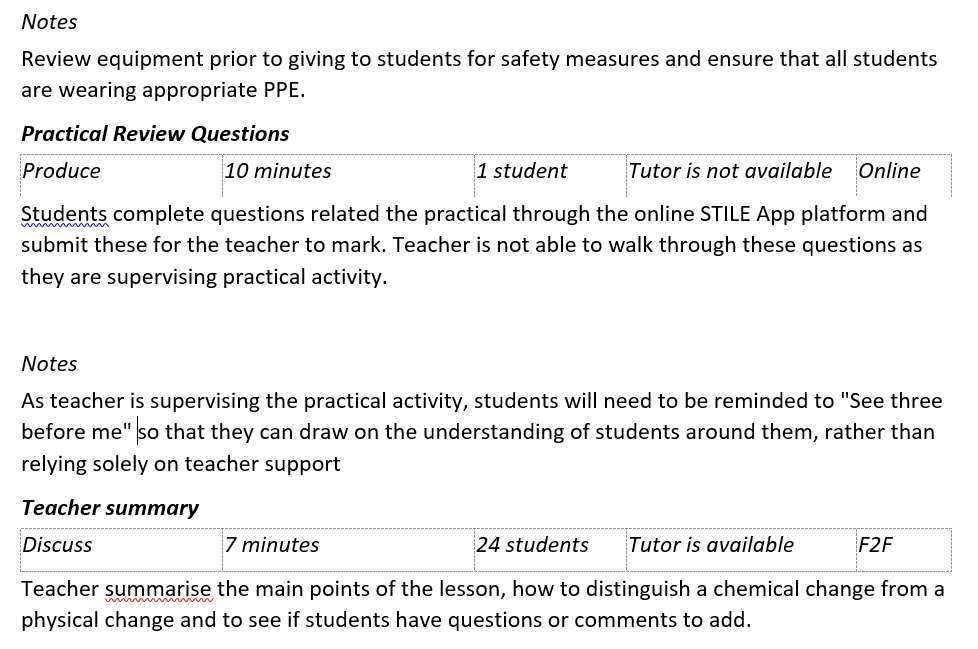
A word document can also be exported, showing the break up of the different parts of the lesson, directly reflecting was was put into the TLA’s.
Assessment of helpfulness:
I found this to be an excellent tool for enabling professional reflection on the effectiveness of my learning design. For example, as someone who is passionate about inquiry learning, I was pleased in the analysis that a large proportion of my lesson was inquiry which suggested my practise for this lesson matches my philosophical perspective. The collegiality of this tool is another huge benefit. This tool would be very useful for communicating to other teachers a learning design, particularly if a teacher is known for being effective in planning and running activities in a unit. This could be particularly useful for pre-service or new graduate teachers in providing the with examples of solid lessons and enabling them to reflect on their practice, ensuring that they are diversifying not only the kind of activity but the time given to each style of learning. The usefulness of this tool was confirmed in a recent study by Laurillard, Kennedy, Charlton, Wild & Dimakopoulos (2018) p. 1050, who found that 70% of teachers using the Learning Designer saw the valued of sharing designs with this tool and 60% can see the benefits to planning teaching using the tool.
While very useful, this would unlikely be a tool used for planning every lesson as this would be unrealistic and unnecessary for experienced teachers. Further to this, the true nature of teaching and learning is that there are some activities that do fall outside of the scope of the prescribed areas. Discussions with students one on one and organic moments in the class cannot be captured with this tool. Rather this tool is useful for obtaining an overview of the flow/design of a lesson so as to help other teachers replicate and best enable effective learning.
References:
Bower, M. (2017). Design of Technology-Enhanced Learning: Integrating Research and Practice. Bingley, UK: Emerald Publishing.
Dimakopoulos, D. (2019). Learning Designer. Retrieved 22 September 2019, from https://www.ucl.ac.uk/learning-designer/index.php
Laurillard, D., Kennedy, E., Charlton, P., Wild, J., & Dimakopoulos, D. (2018). Using technology to develop teachers as designers of TEL: Evaluating the learning designer. British Journal Of Educational Technology, 49(6), 1044-1058. doi: 10.1111/bjet.12697


 EDCN865 e-Porfolio - Julia Gale
Hi Julia,
Thank you for another informative blog post. I had difficulty making an account for the Learning Designer platform, so I am grateful that you’ve shared your experiences and screenshots!
I agree with you that although these tools have been insightful, they are time-consuming to use. It makes me wonder what innovative learning programs we would be developing if we had more planning time (or perhaps the problem is that these tools are not efficient enough to implement?). I thought the same about using the TPACK model when planning or reflecting.
Do you think that using this tool (or similar) would actually change your end product i.e. the lesson(s)? One of the main criticisms of learning design tools was that they haven’t necessarily affected the daily practices of educators (Bower, 2017). You already found that your programme was rich in inquiry learning as you intended it to be, so I would think that this tool might influence your lessons more if it found they were inconsistent with your philosophies as a teacher (e.g. there was minimal inquiry learning) and you felt you needed to adjust your teaching accordingly.
Bower, M. (2017). Design of technology-enhanced learning – Integrating research and practice. Bingley, UK: Emerald Publishing Group.
LikeLike
Hi Kayla,
Thank you for your thoughtful comment. I agree that I don’t think it would radically change my teaching now but perhaps when someone is a new teacher it could be helpful to visually draw their attention to their practise and habits (be it good or bad!). I have observed lesson of pre-service/new teachers and sometimes they have a tendency to rely on teacher centered-instruction and mostly students working as individuals or whole classes. Perhaps with this tool, a teacher that was leaning towards these methods continuously would see the graphs and reflect that they should mix things up a little bit. I agree that I would not use this tool regularly (there is of course plenty to do in teaching!) but I would consider using it when mentoring a student teacher to show them what the break up of the lesson could look like. This is what I felt as a new teacher that I lacked, a sense of how everything would fall together. That being said, I did learn this as I gained experience and maybe there really is no substitute!
Thanks again,
Julia
LikeLiked by 1 person
Hi Julia and Kayla
I looked at Learning Designer too so it was interesting to compare our different experiences.
For example in terms of collegality, I had not considered your point about it being useful for communicating design – I found it fustrating that there was no way I could share my designs with another staff member for us to work on collaboratively. You would still have to finish your design first before communicating it.
If could offer my view on Kayla’s point, i certainly think using the tool would change my end product. I find that while the programs I use represent a rich range of teaching activities, the way the activites get used might not always be successful in meeting the needs of the students. The reflection stimulated by Learning Designer helps with making sure the right combination of activites is selected. The key i guess is ensuring that there is timer free to use the tool for reflection, something I found to be the greatest hurdle.
LikeLike
Hi Julia,
Great post. As a Science teacher, I do like the analysis and breakdown of activities in this tool. As a Head Teacher and leading the Quality Teaching Team it may provide quite an insight and guidance into what the most effective teachers are doing, or planning to do, in terms of learning activities. As you discussed there is scope for this tool to be used with pre-service and early service teachers by using the knowledge and wisdom of successful teachers who may have a ‘sixth sense’ about what works or what does not in an effective lesson. But on saying that, it would be just as powerful as a reflection tool for experienced teachers to revisit their teaching practices.
Because we are dealing with a wide range of students with a wide range of abilities there is certainly no one-size-fits-all model and as you point out it can be those organic moments, totally unplanned for that may make or break a lesson. Even though a program such as this gives you numbers to analyse and what resources may have been used, it does not delve into how something was presented, e.g. the human element
I think far more will be gained with a reflection, evaluation and adjustment of the planned lesson so the comparison of before and after analytical data would be used to inform future lessons. For example, did your chemical change practical take a shorter or longer time, or did the analysis take longer than you thought? The collegiality of the tool makes it useful for faculty-wide discussion, especially comparing lower and higher ability classes.
Great work again Julia. I’m even going to present it to my strategic group tomorrow!
Stuart Robertson
LikeLike